


In the United States, copyright protection begins at inception—meaning your work is protected from the moment it is fixed in tangible medium, either physical or electronic. From the second you preserve the work—complete or not—you own the copyright. A work qualifies for copyright if it is original, fixed in a tangible medium, contains some modicum of creativity, and has human authorship.
Copyright law literature has been tackling changes in technology with the advent of AI, but for now, the US Copyright Office will register only the human-authored contributions to a work that includes AI-generated material, and applicants must disclose the AI content. In other words, you can register a work that contains components created by AI, but those components are not copyrightable. For the purposes of this article, I won’t go further into AI, but if you’d like to read more on the matter, I’ve linked to the US Copyright Office’s three-part report on the copyrightability of AI (have fun!).
A Little History
You may be surprised to learn that copyright law in the United States was hotly contested for many years—especially by publishers. As Michael Castleman describes in his 2024 book The Untold Story of Books, publishing in the 18th and 19th centuries resembled the Wild West, with U.S. and U.K. publishers freely lifting titles from one another to turn a profit. The first federal copyright statute appeared in 1790, but the law continued to evolve through major revisions in the Copyright Act of 1909 and later the landmark Copyright Act of 1976.
In between, figures like Noah Webster—yes, of Webster’s Dictionary—played a key role. He worked alongside his cousin, statesman Daniel Webster, to champion the Copyright Act of 1831, laying an early foundation for the protections we recognize today. Under current law, works registered after January 1, 1978, are protected for the life of the author plus seventy years, a term established by the 1998 Sonny Bono Copyright Term Extension Act, which expanded the initial term of life plus fifty years set by the Copyright Act of 1976. For a deeper dive, you can explore the U.S. Copyright Office’s historical timeline.
What You Need to Know
I frequently get asked two questions by authors.
Do I own my copyright?
When do I register my copyright?
The answer to the first question is yes, you do. In traditional publishing, when you sign a contract you are licensing your inherent rights as the author of a book to the publisher for a duration of time stated in your contract. At Brown Books, the majority of our contracts with authors are hybrid contracts—in which you maintain ownership of your rights and merely license the right to us to distribute the book on your behalf for as long as both parties agree.
Authors of children’s books also often ask whether or not they own the rights to the illustrations in their book. For a majority of our authors, the answer is yes. This is because many of our freelance agreements with artists are work for hire. When an artist’s work falls into the classification of works made for hire, they are not considered its legal author—the commissioning party is. Even if given a byline or attribution for their work, they have no copyright interest in the work.1 This is true for other ancillary contributors to the work such as indexers, typesetters, and cover designers.
The frequency of question number two was actually the impetus for this article. Since copyright begins the moment you fix your work in a tangible medium, I recommend waiting to register your copyright with the copyright office until you have physical copies of your book in hand. This is for purely practical reasons, as the US Copyright Office requires you to send in two physical copies of your book (or ePub file for electronic publication copyrights), and mandatory deposit for published U.S. works is within three months of publication. You do have the option to pre-register your work, which can come in handy for manuscripts being developed into screenplays, but for most titles pre-registration is unnecessary.
If you’re still not feeling satisfied by the information above, I’ve compiled a list of copyright resources for further reading to satiate all your copyright needs!
Every Writer's Guide to Copyright and Publishing Law: Third Edition by Ellen M. Kozak
Creativity and Copyright: Legal Essentials for Screenwriters and Creative Artists by John L. Geiger and Howard Suber
The Public Domain by James Boyle
Permissions, A Survival Guide by Susan M. Bielstein
The Essential Guide to Intellectual Property by Aram Sinnreich
Without further ado, here’s a step-by-step guide for registering your copyright:
Registering a Work with the US Copyright Office
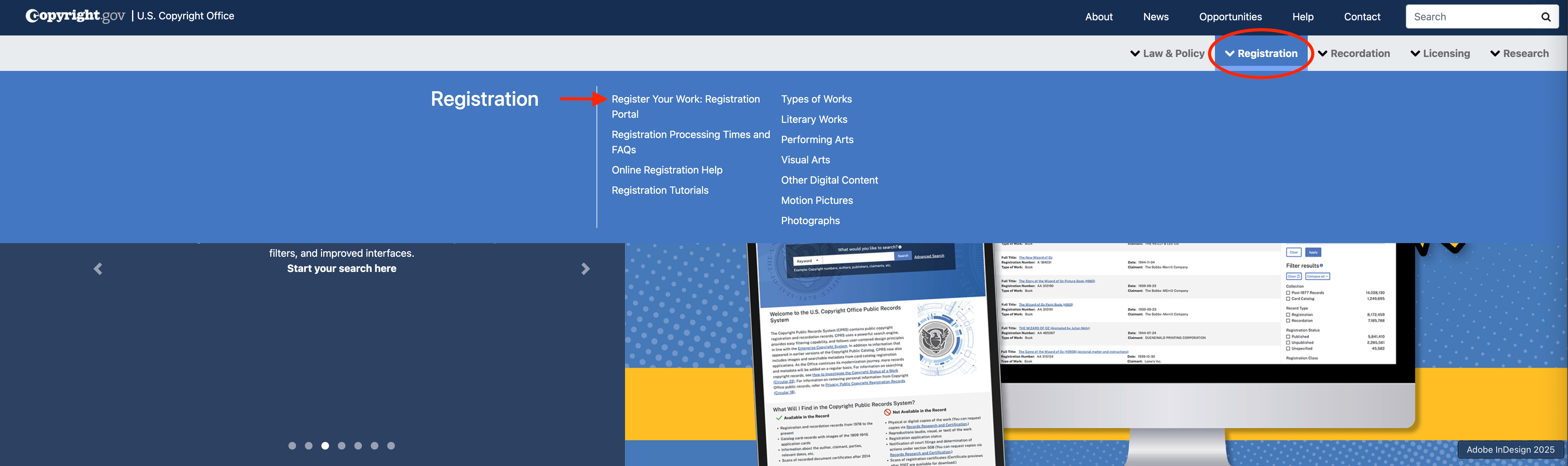
Access the Copyright Office Website
Go to Copyright.gov.
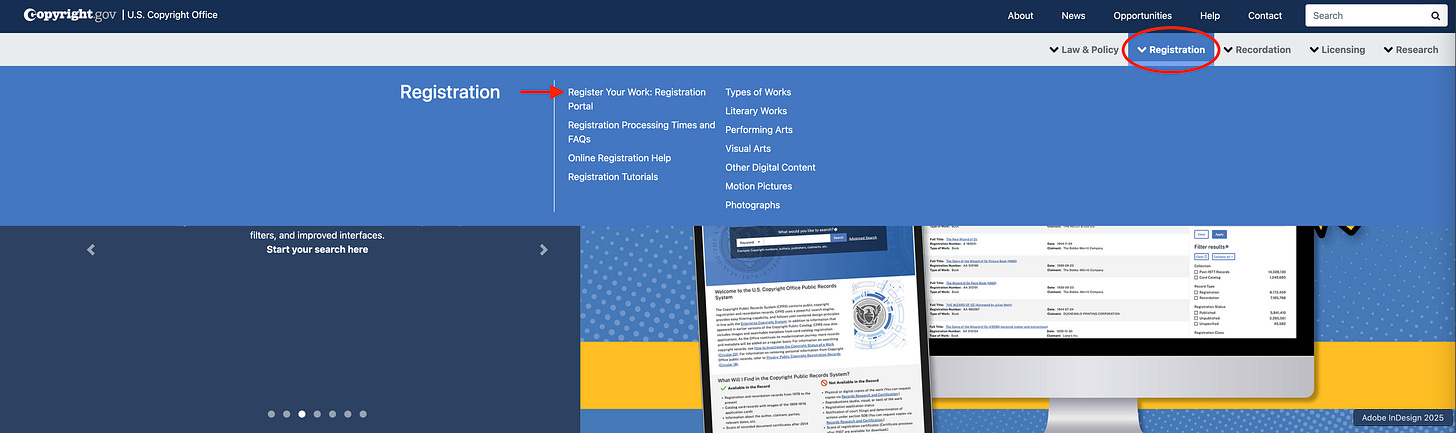
Open the Registration Portal
From the top navigation bar, select Registration.
Click Register Your Work: Registration Portal.
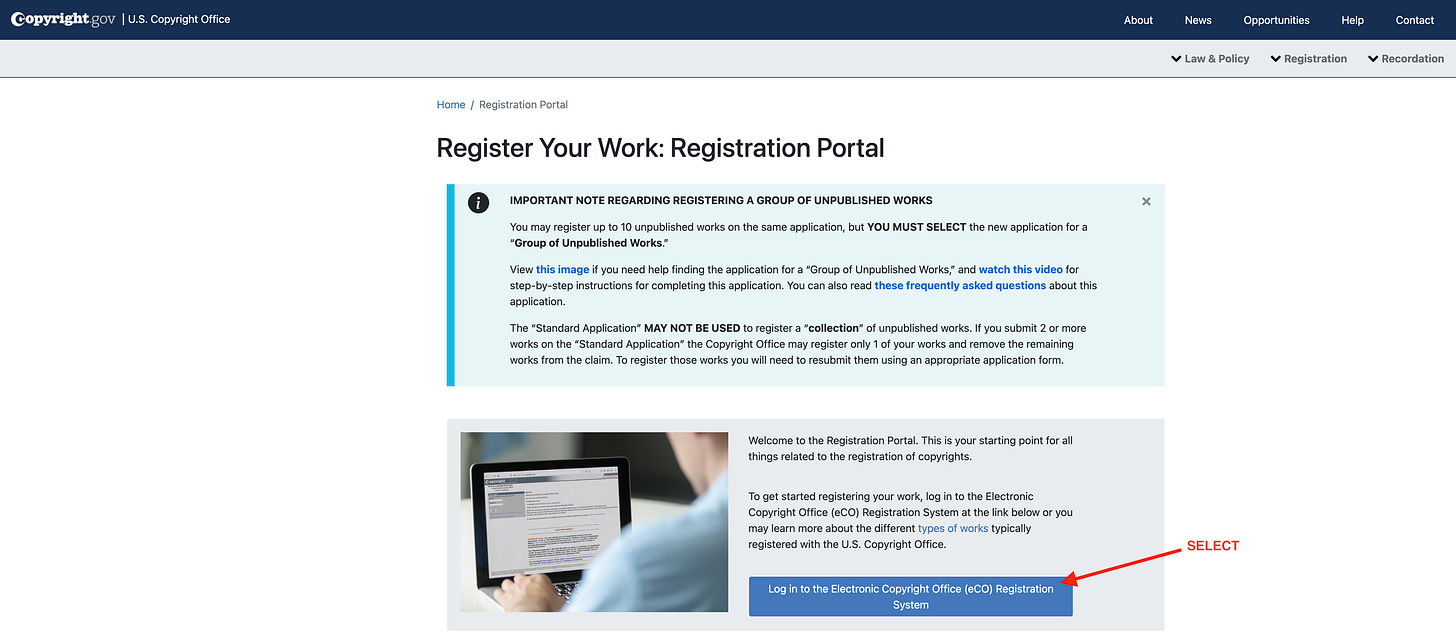
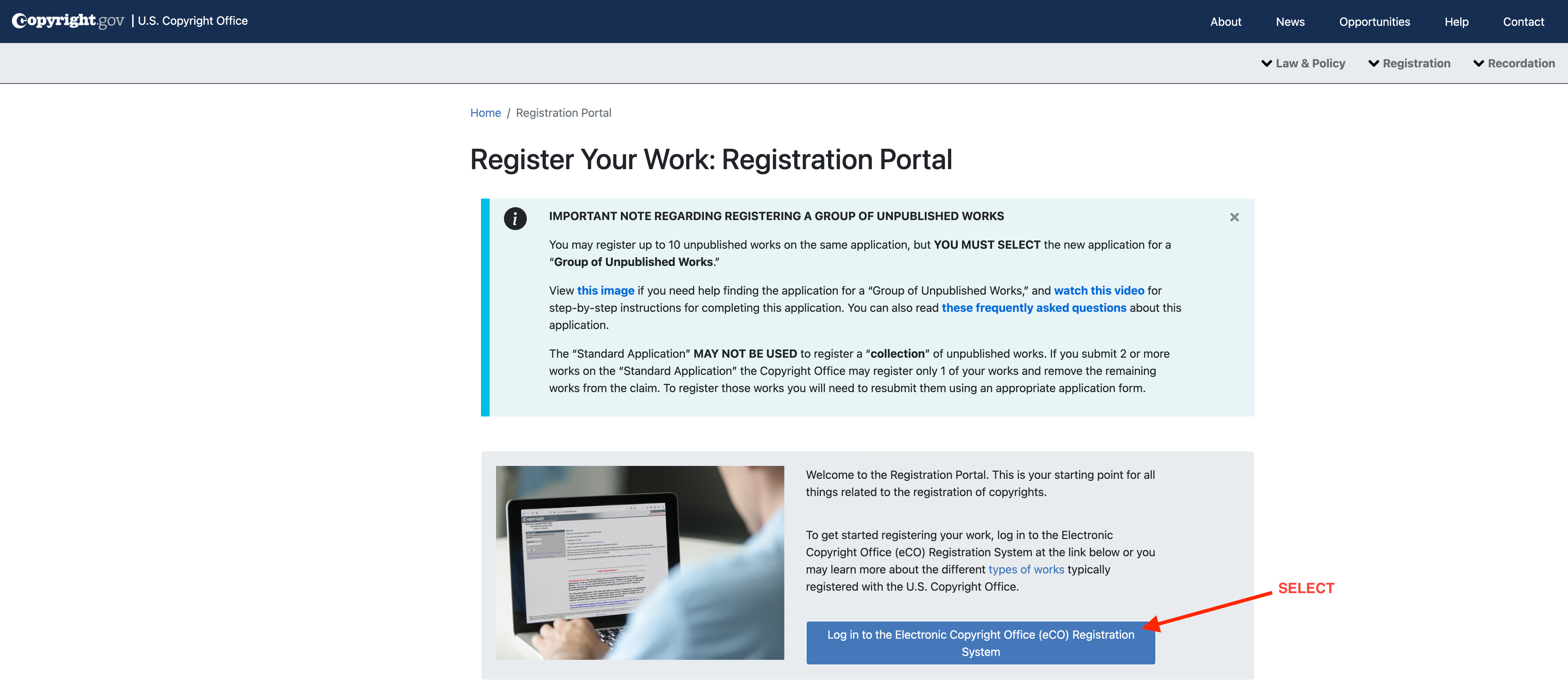
Log in to the eCO System
On the Registration homepage, select:
Log in to the Electronic Copyright Office (eCO) Registration System⚠️ Note: The eCO system works best in Mozilla Firefox. Other browsers may have reduced performance.
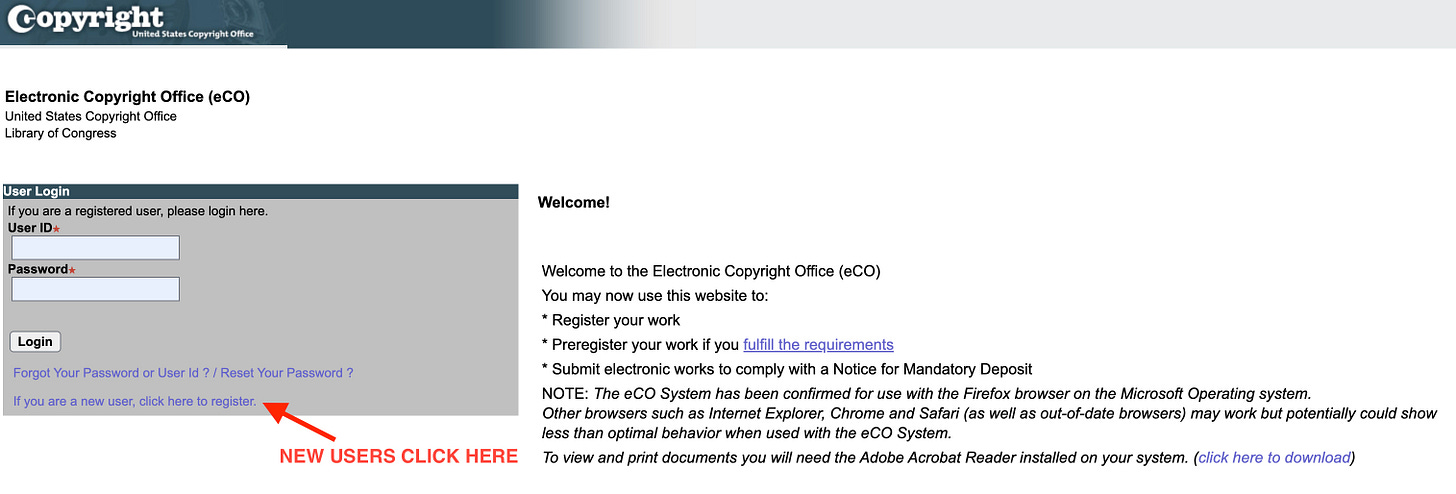
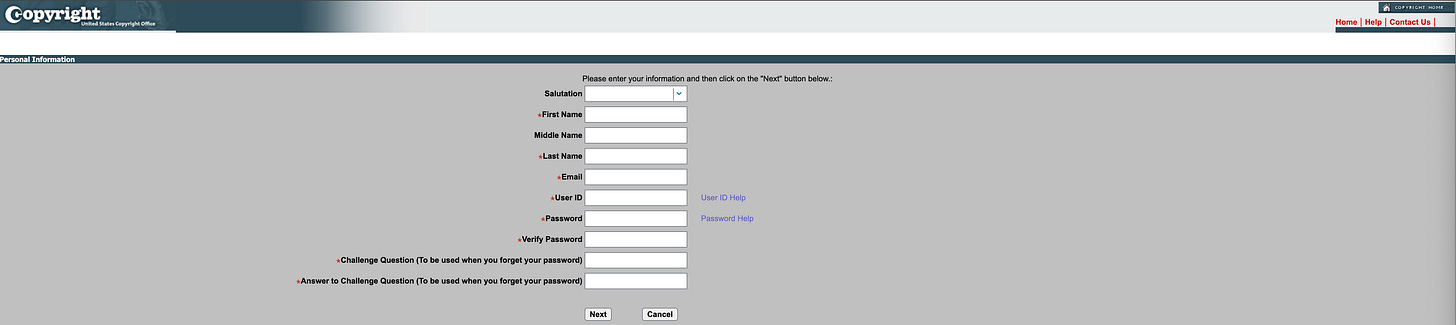
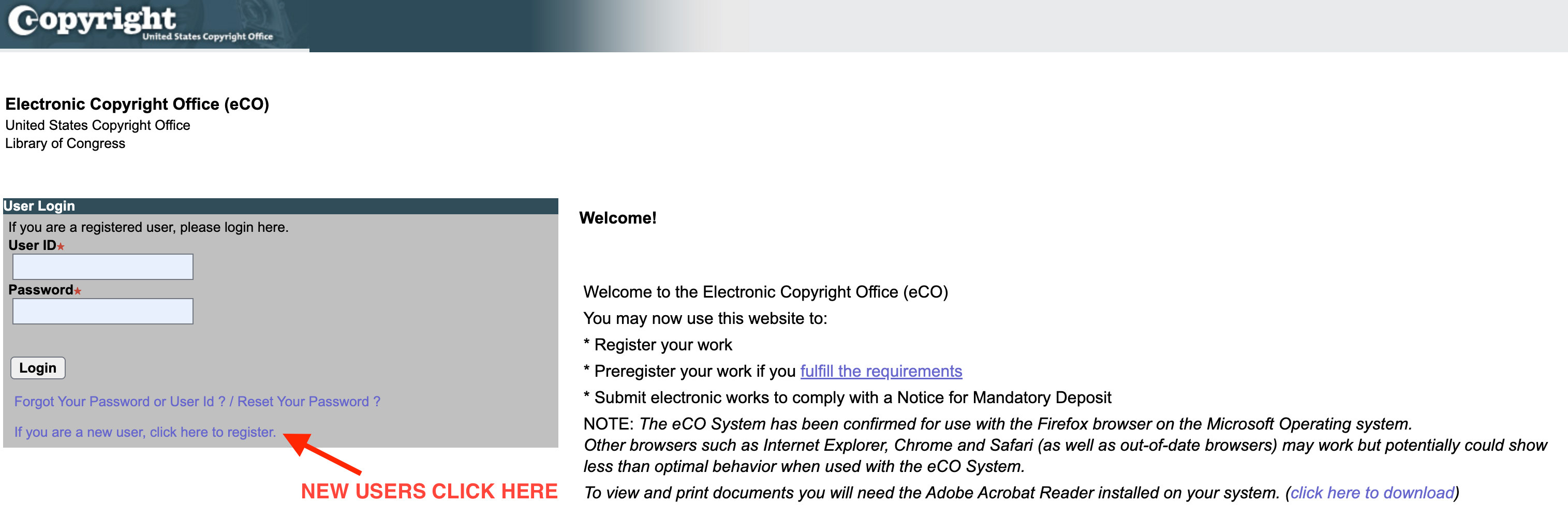
Create or Access Your Account
New users: Select If you are a new user, click here to register, then complete the registration form.
Returning users: Enter your username and password to log in.
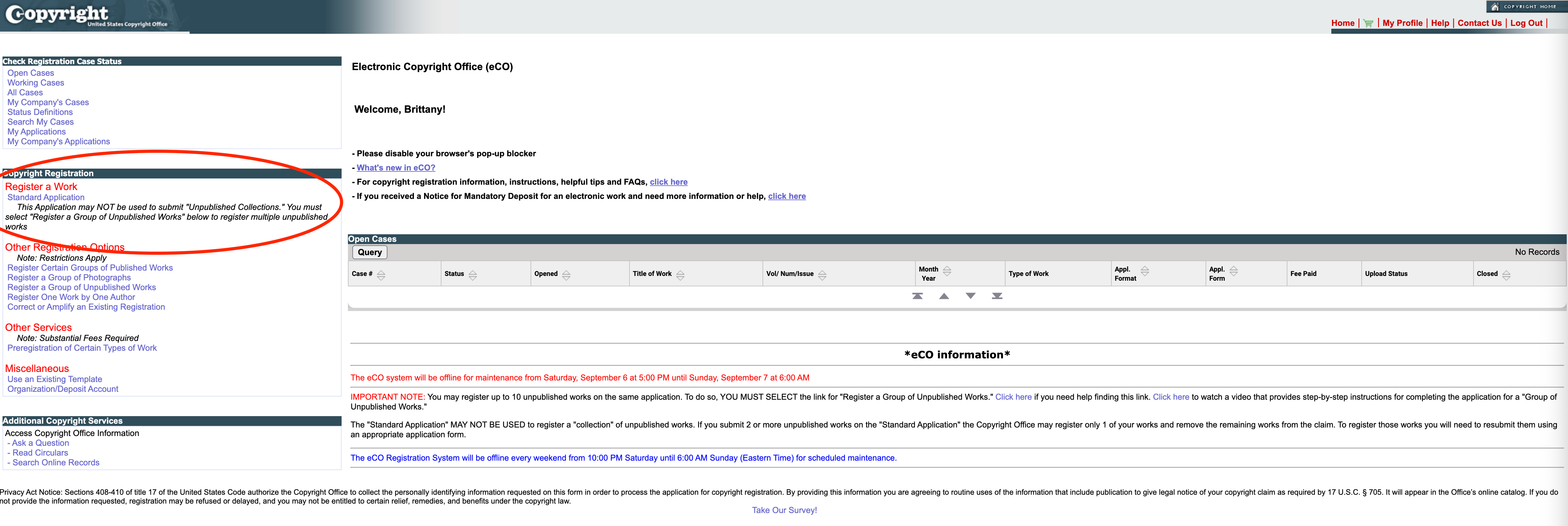
Navigate the eCO Portal
After login, use the left-hand navigation panel to:
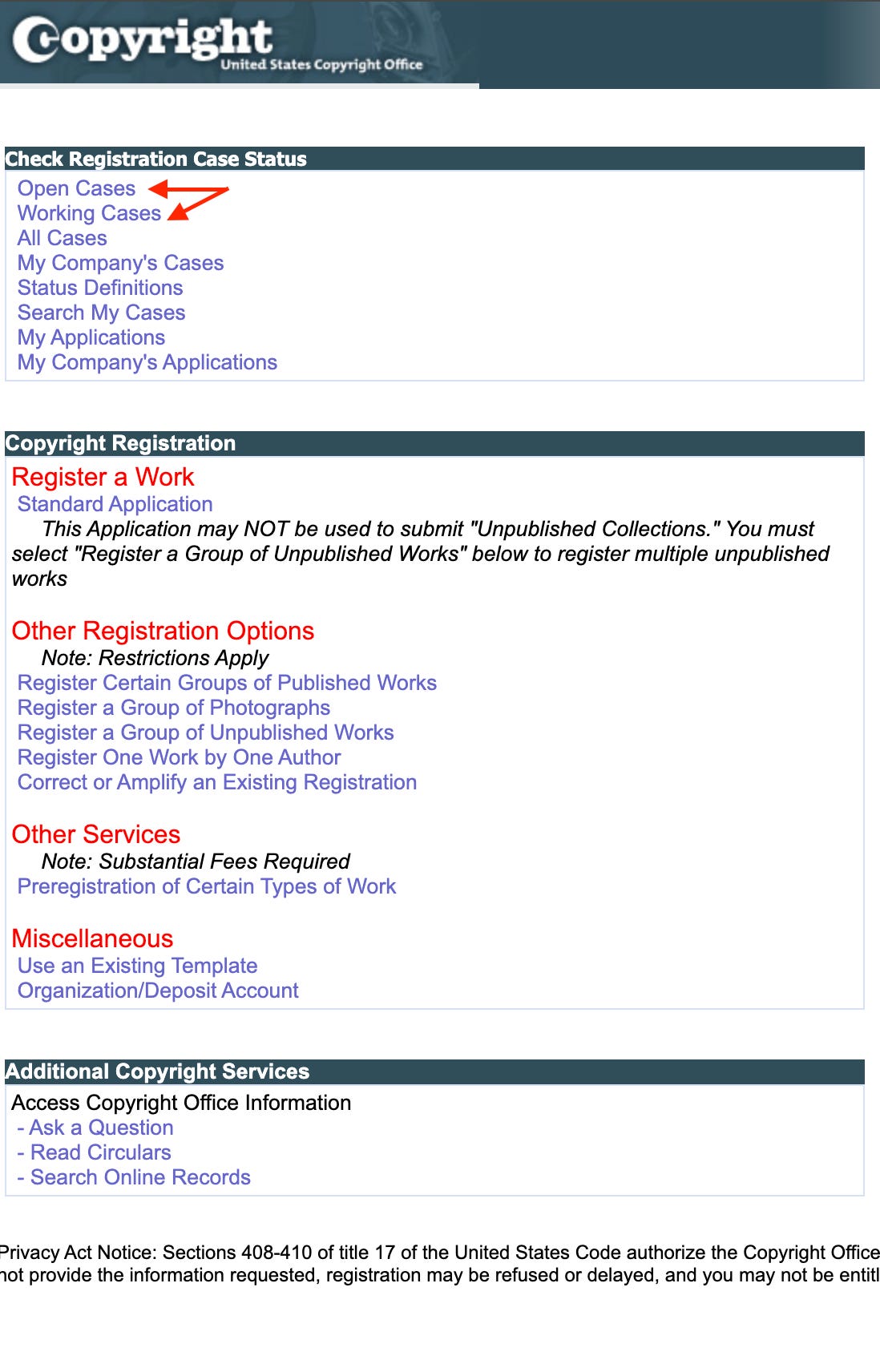
Check your registration case status under Open Cases or Working Cases.
Begin a new registration by selecting Register a Work — Standard Application.
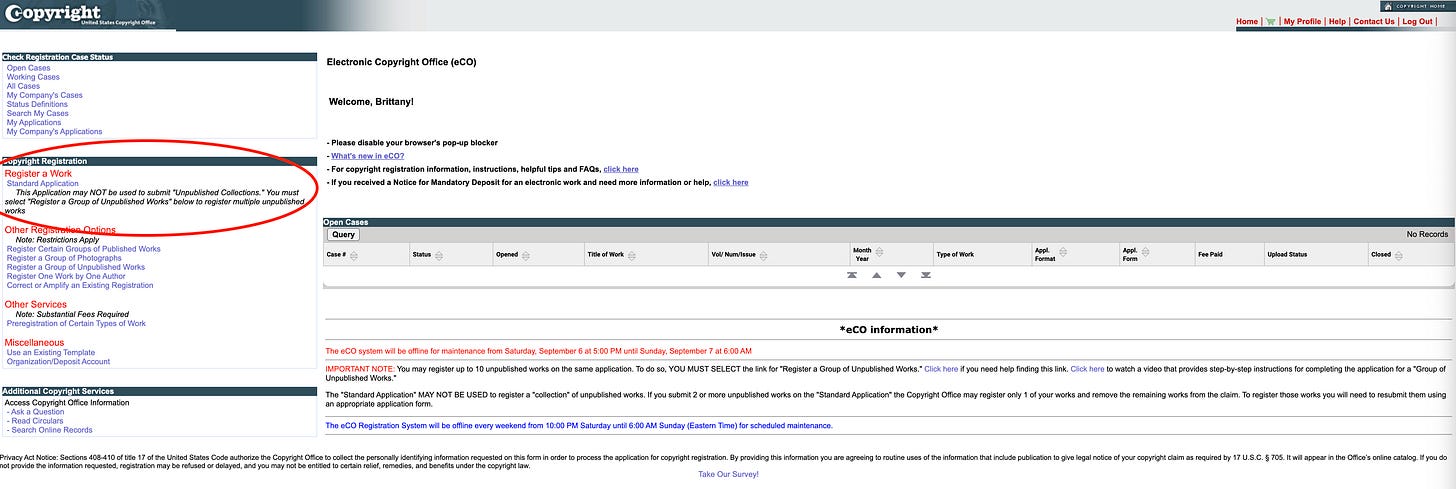
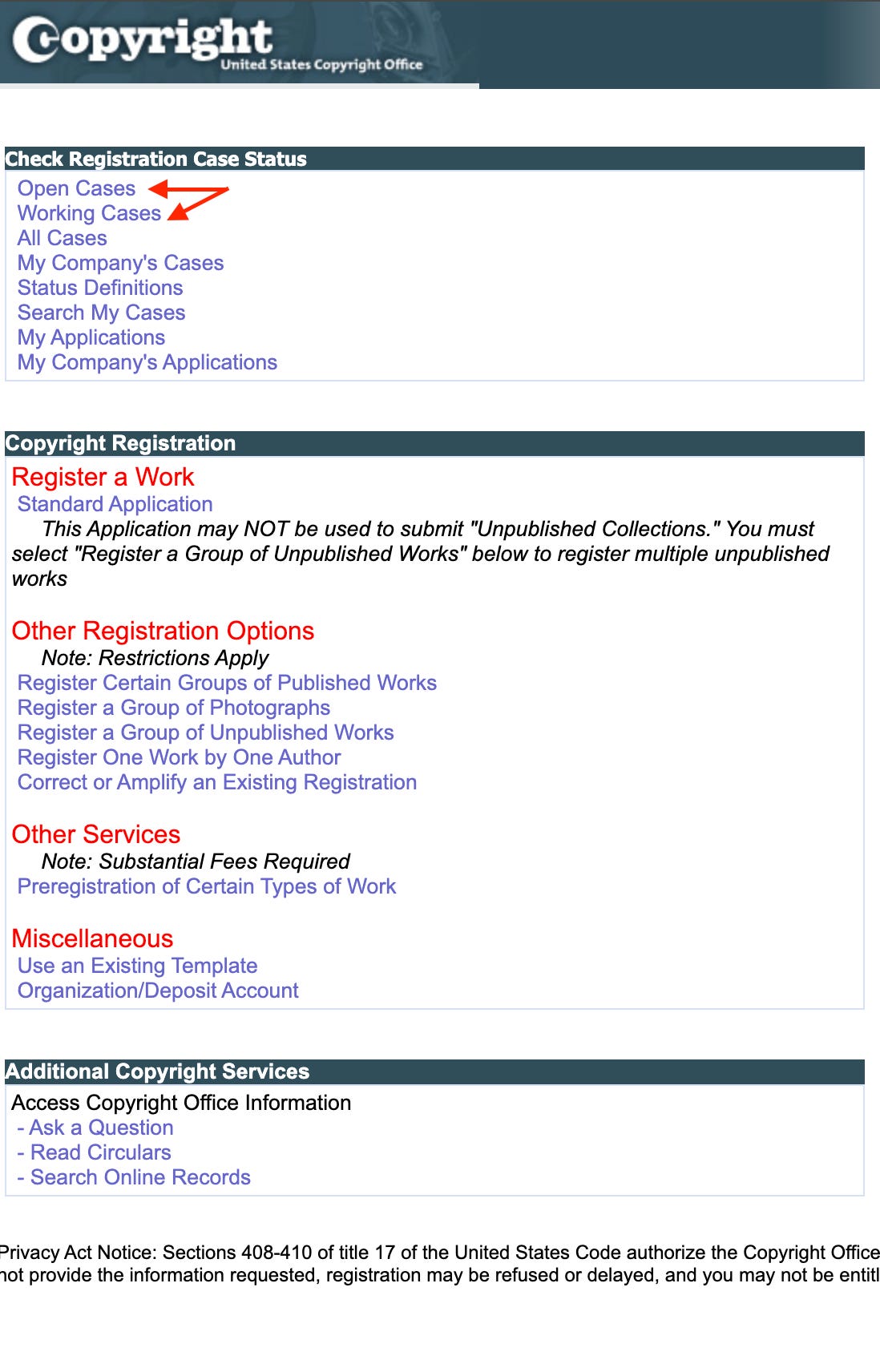
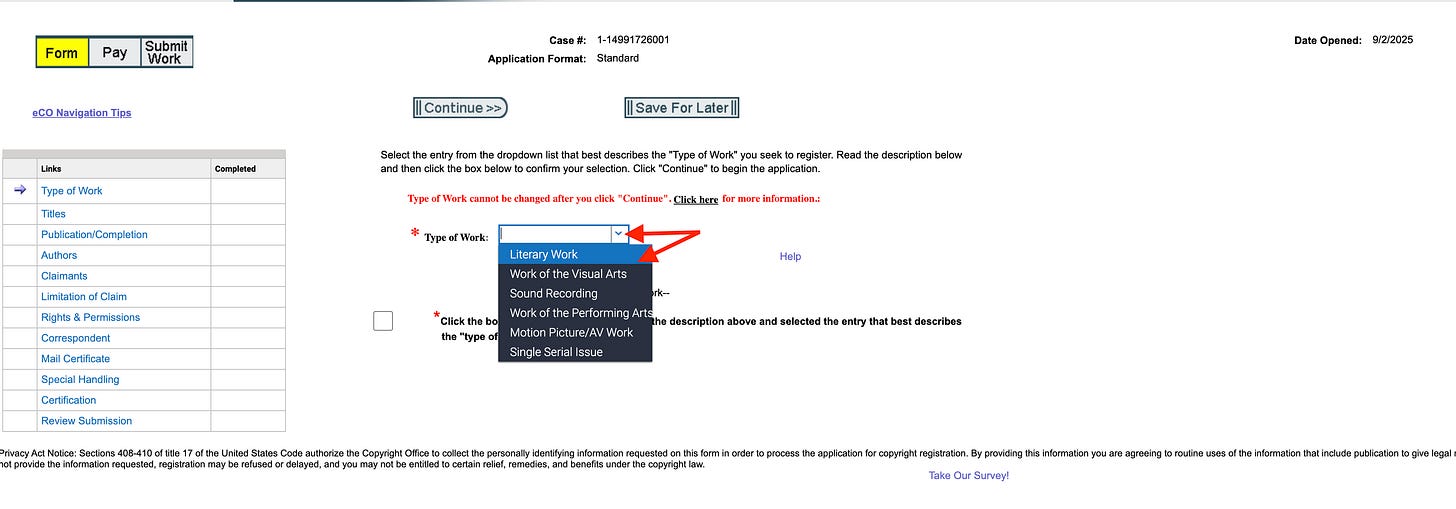
Start a New Registration
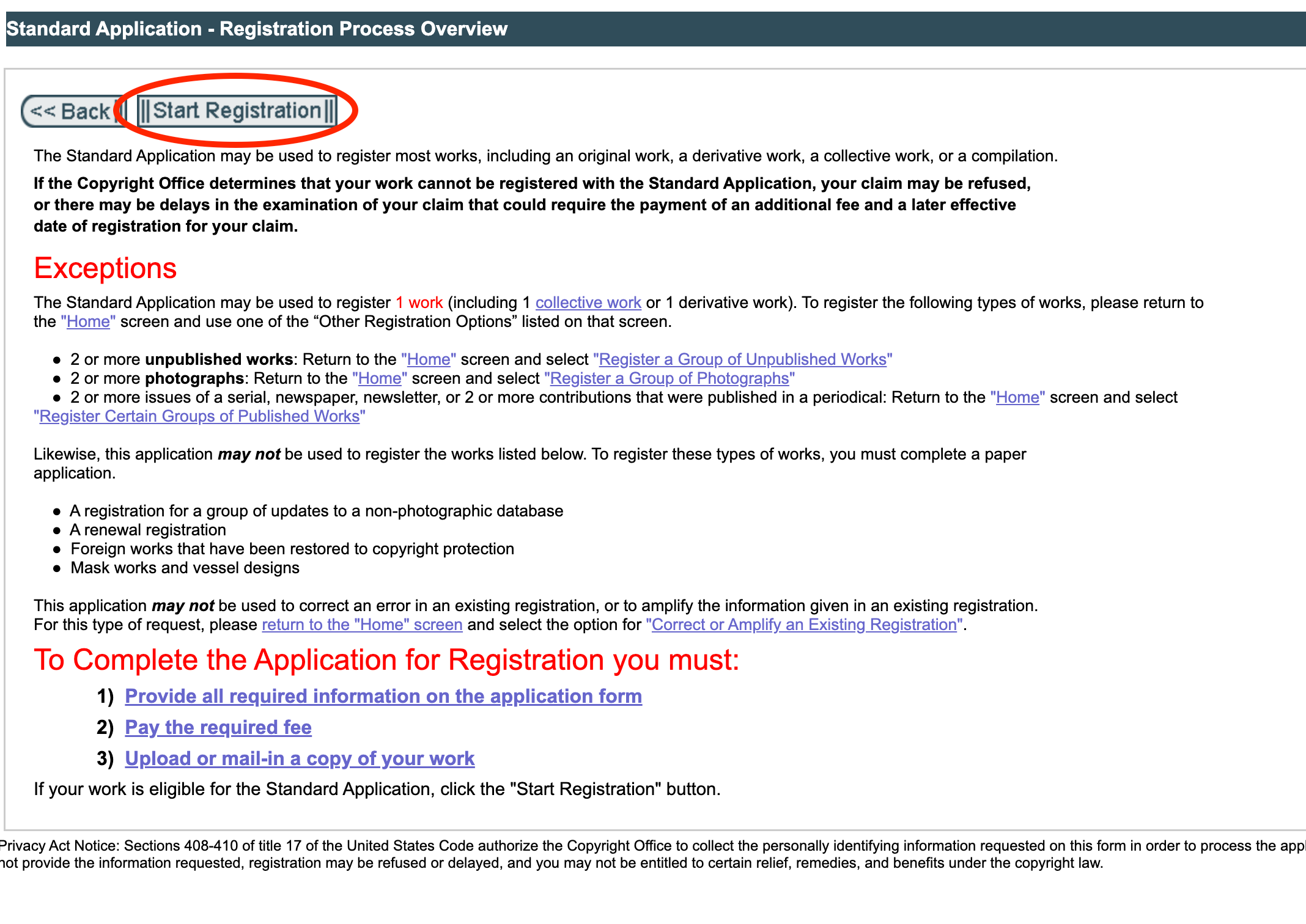
Select Start Registration.
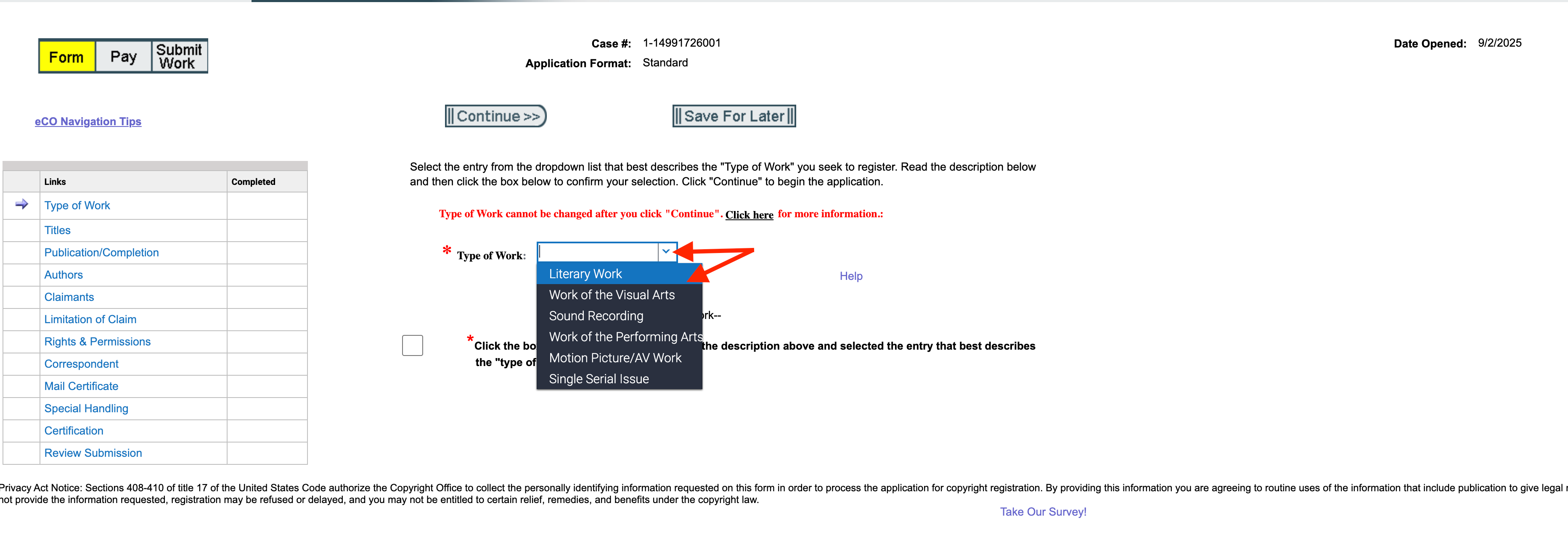
From the Type of Work dropdown, choose Literary Work.
Check the box confirming you have reviewed the description for Literary Works.
If you are registering a trade book, this category is correct.
Click Continue.

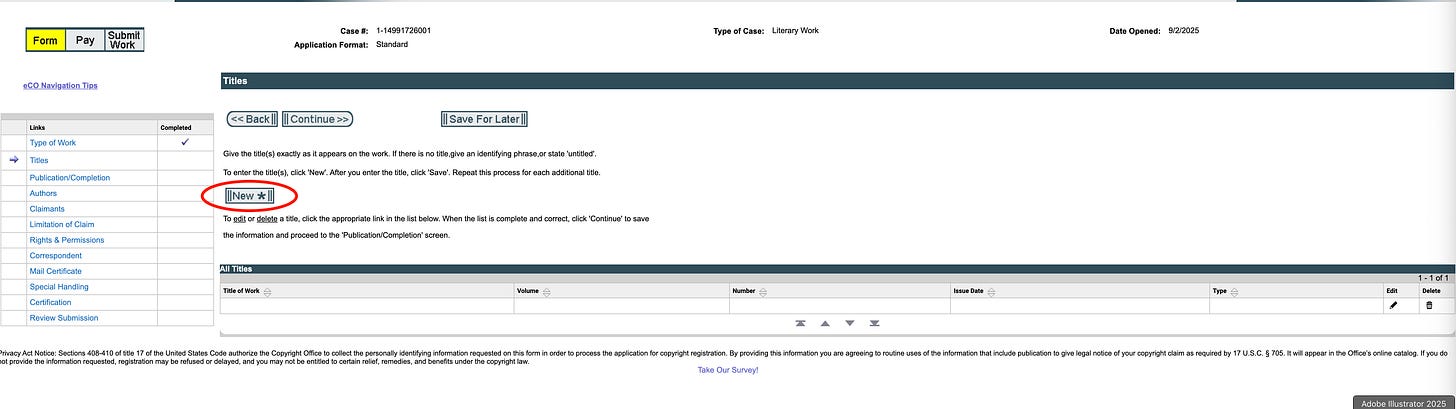
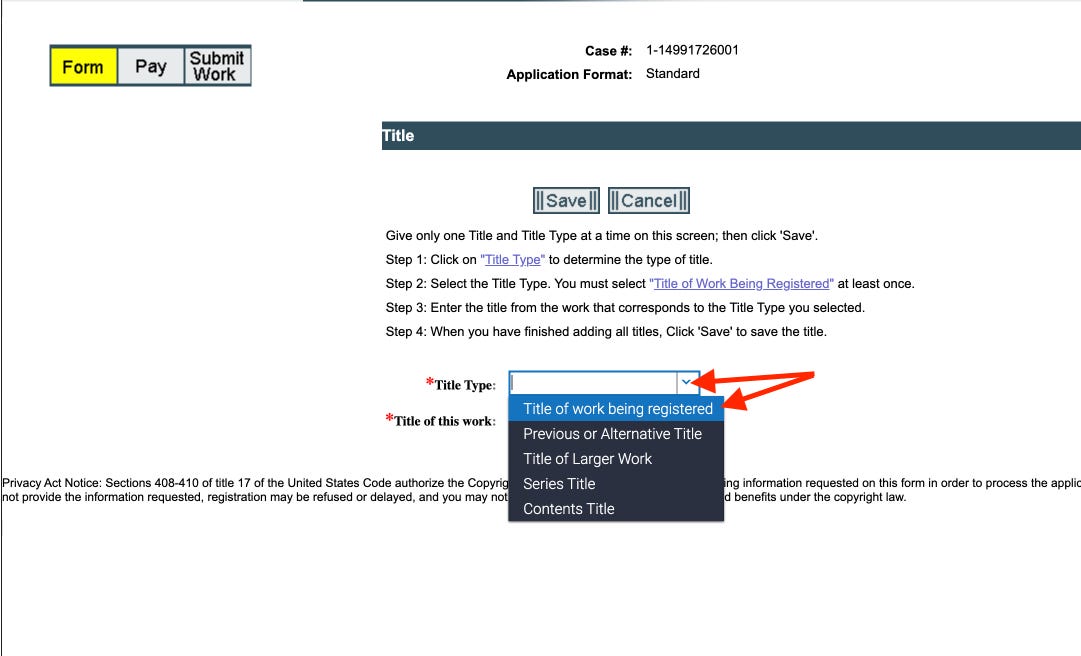
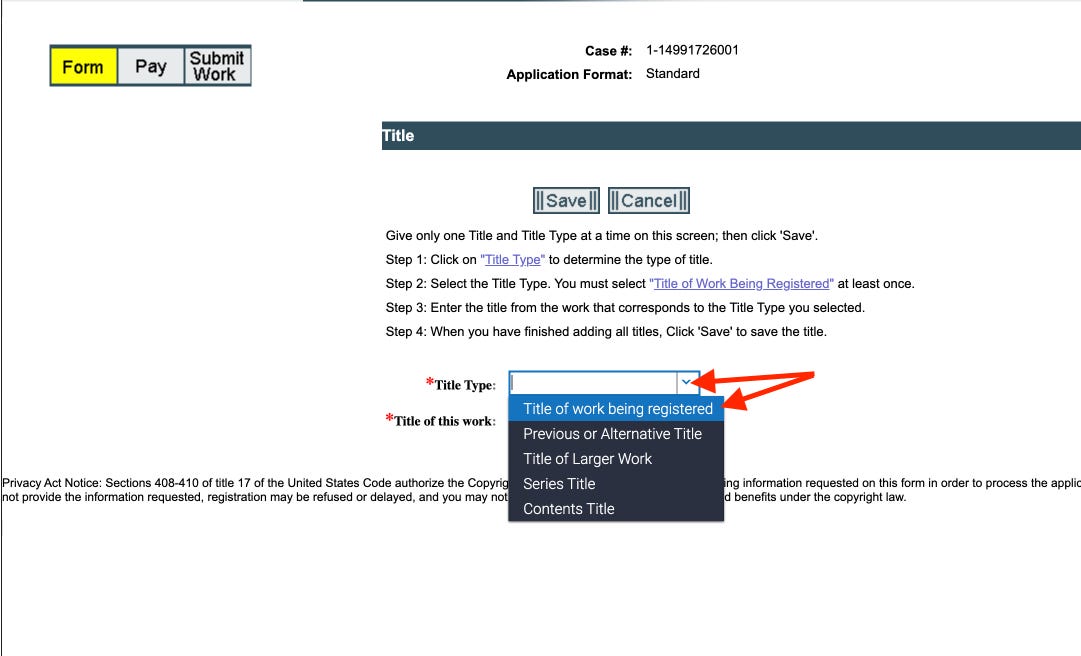
Enter Title Information
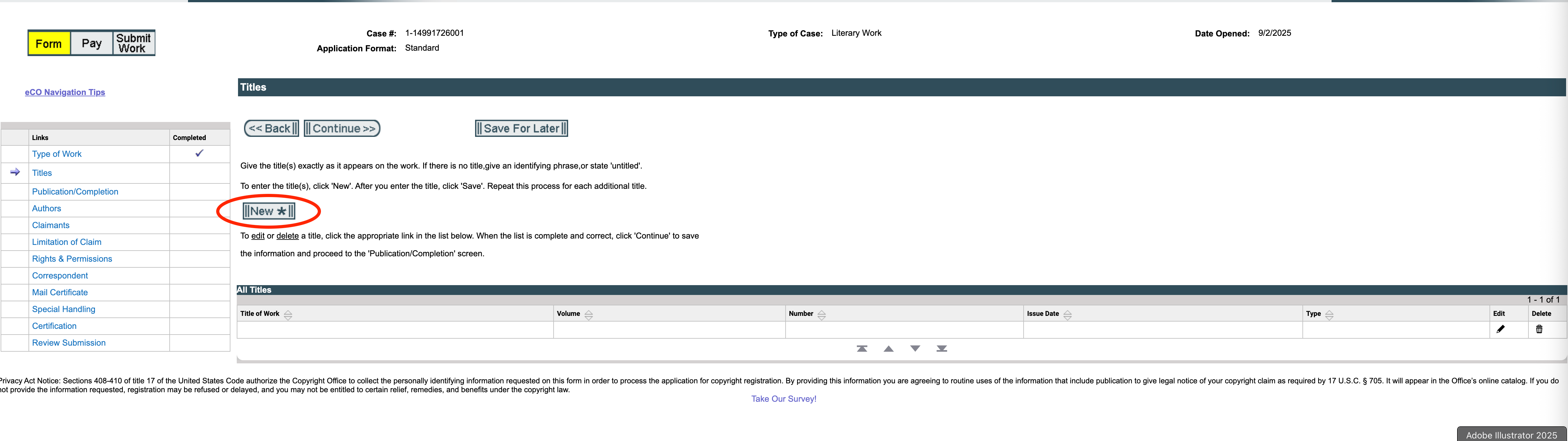
Select New.
From the Title Type dropdown, choose Title of work being registered.
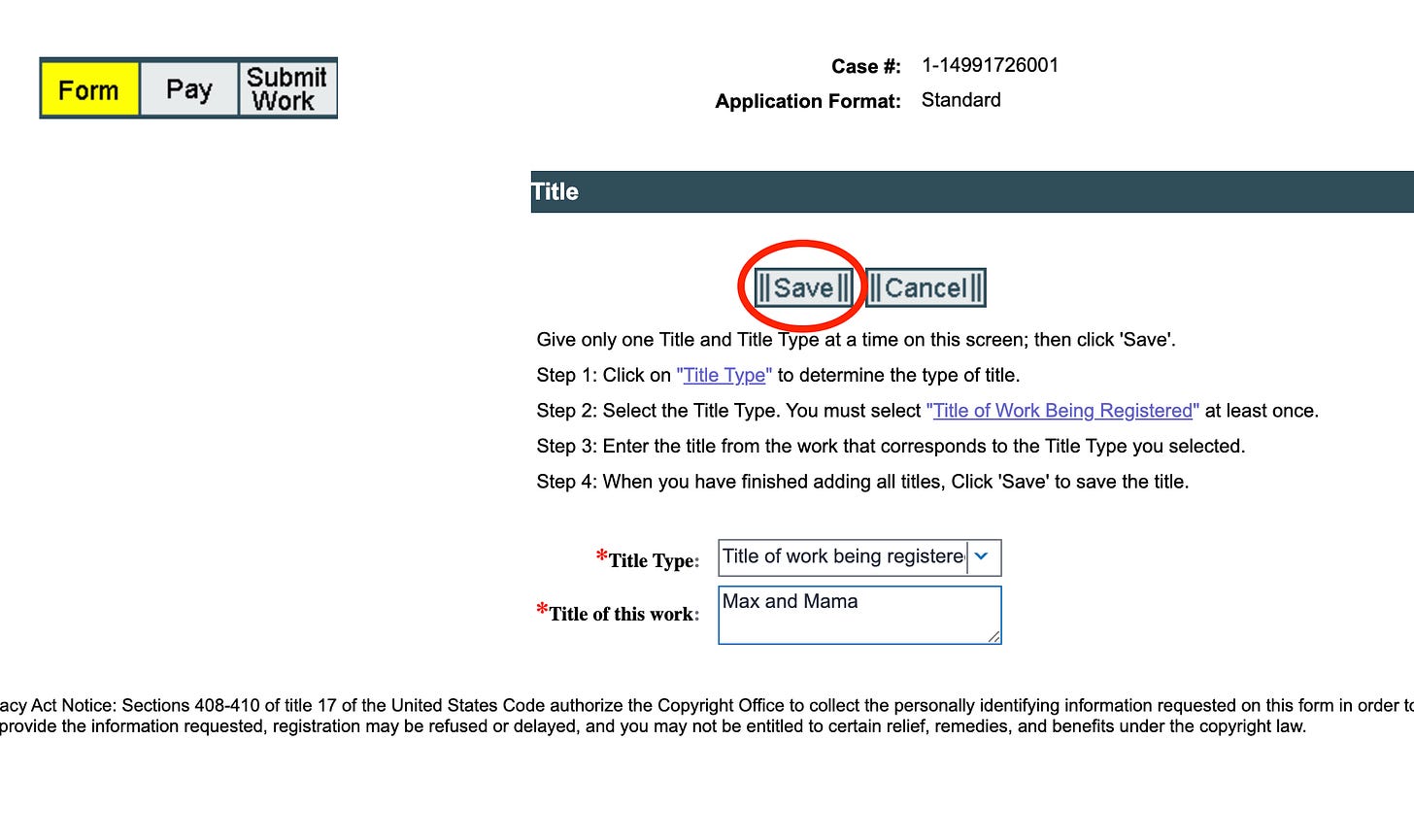
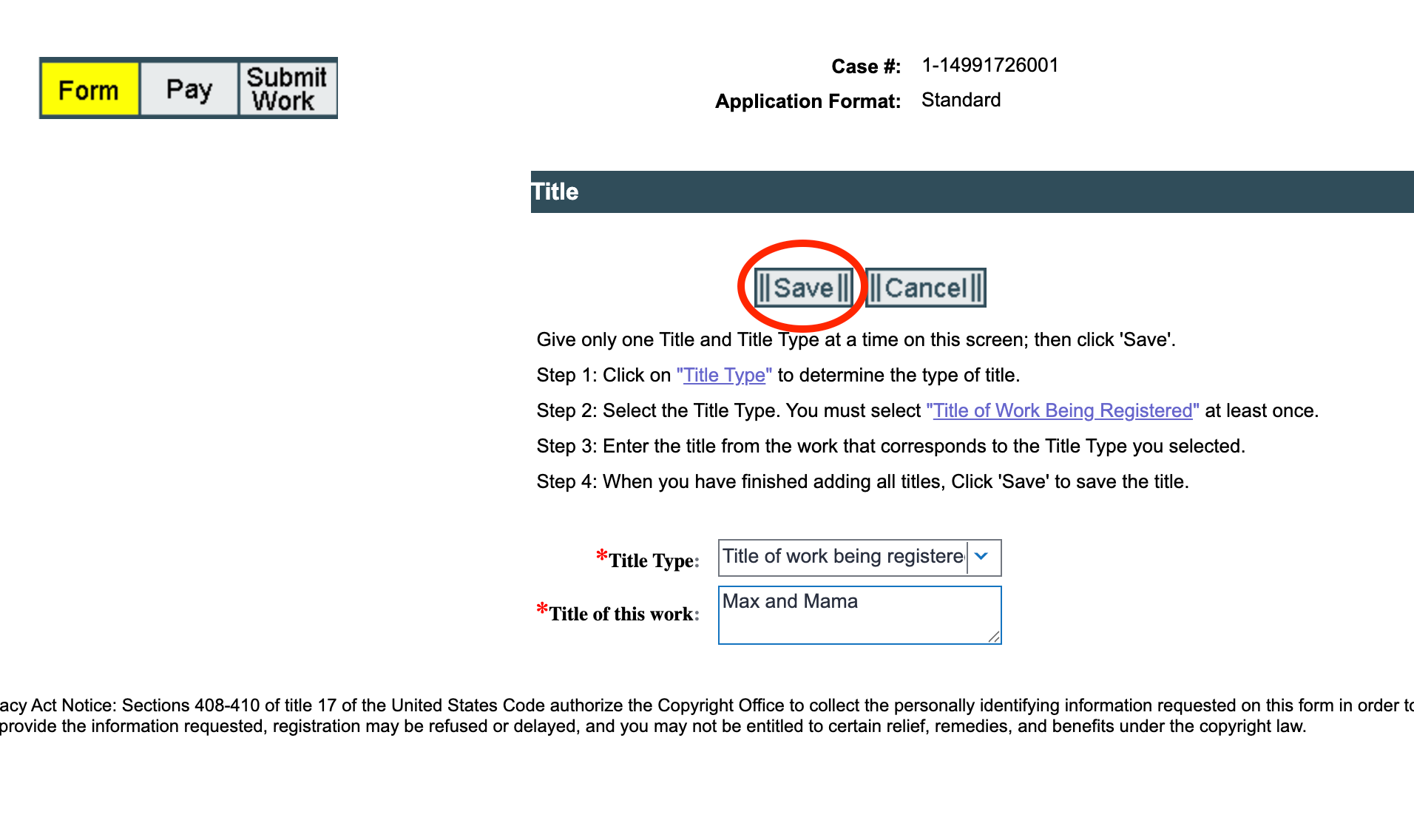
Enter the full title in the Title of this work field.
Click Save.
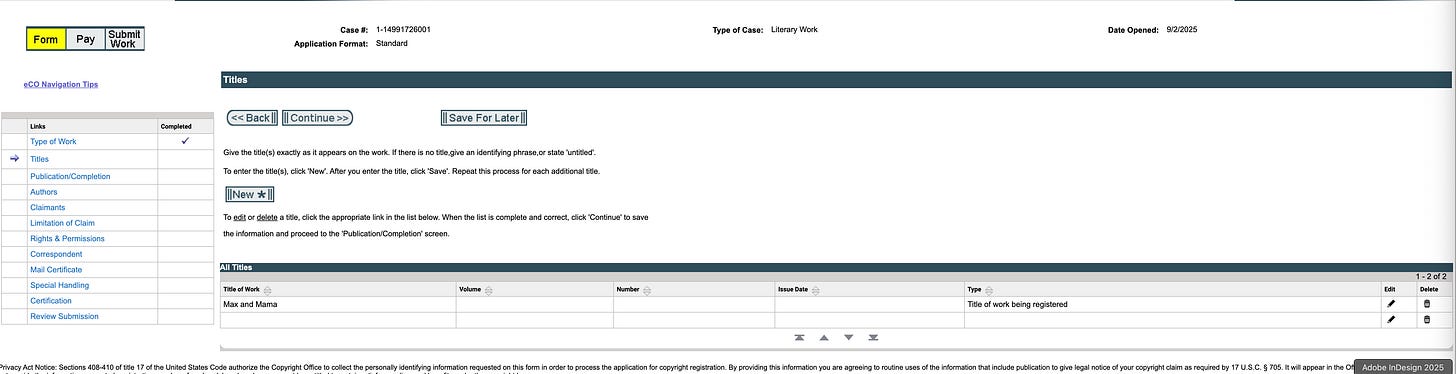
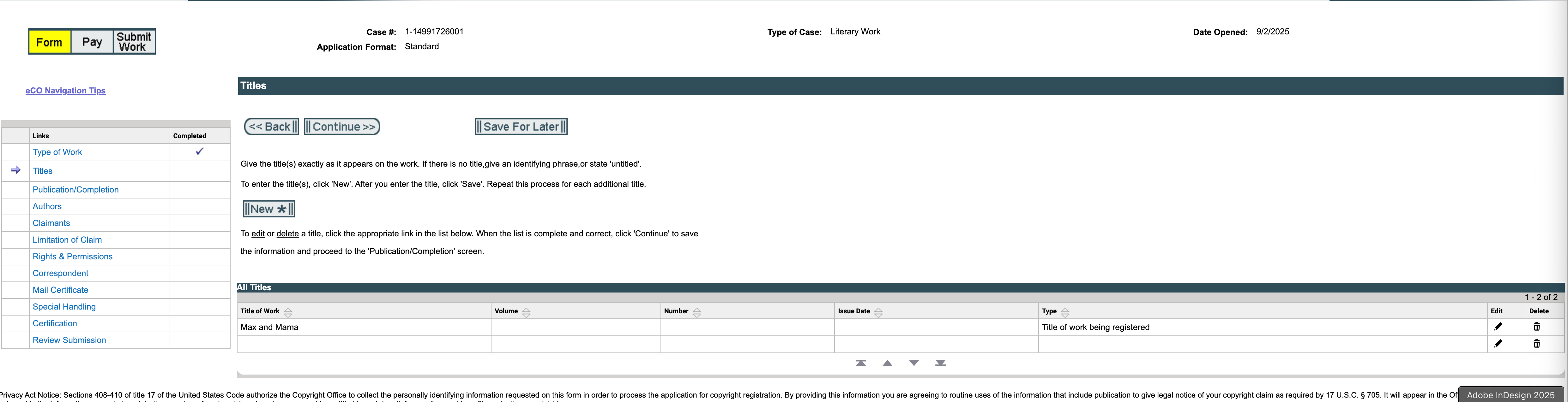
Verify the title appears under All Titles, then click Continue.
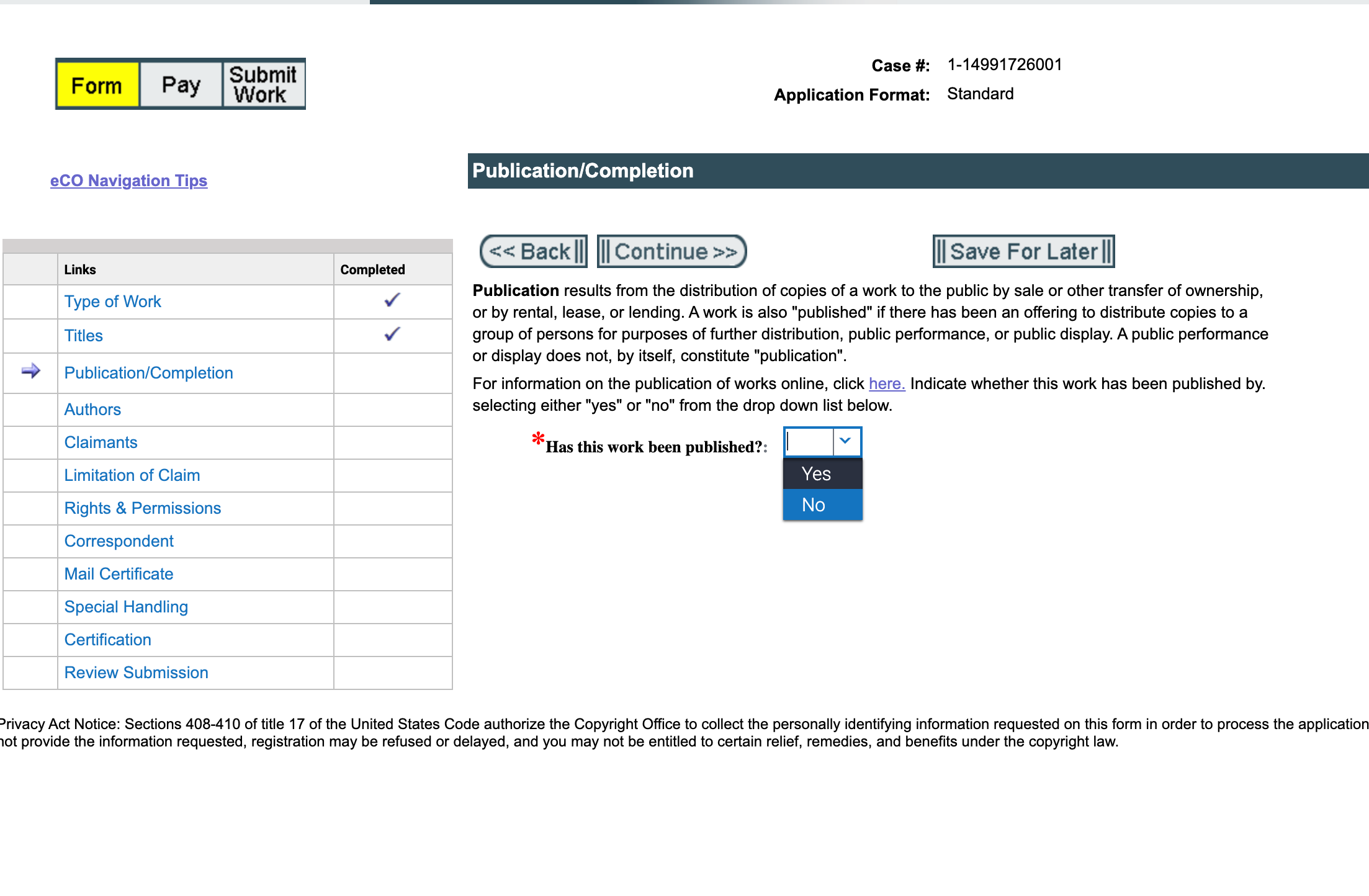
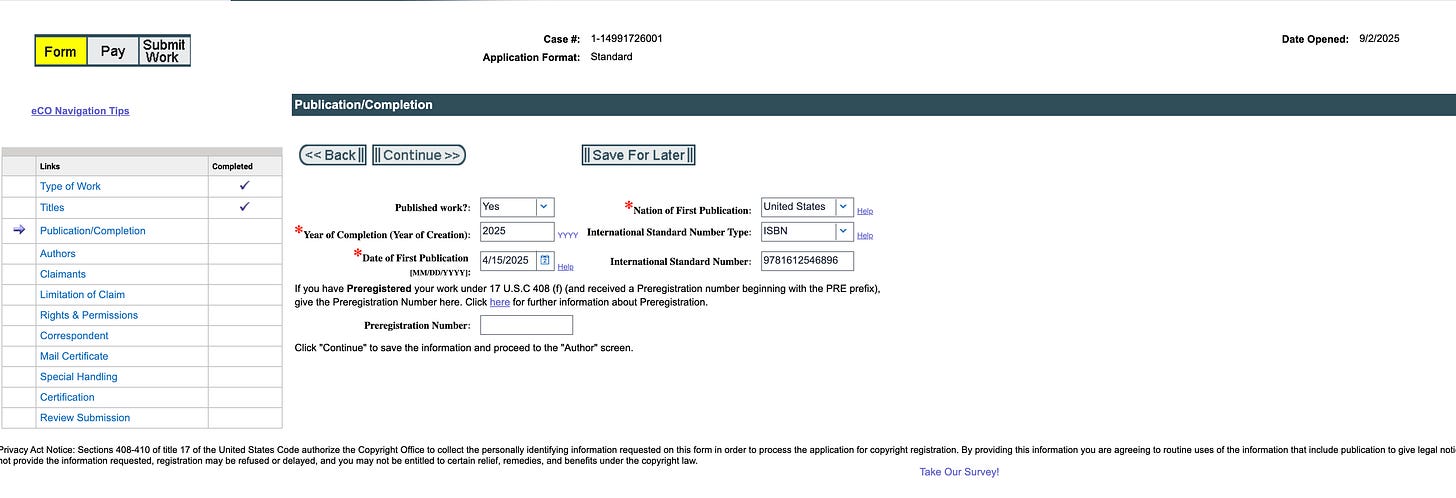
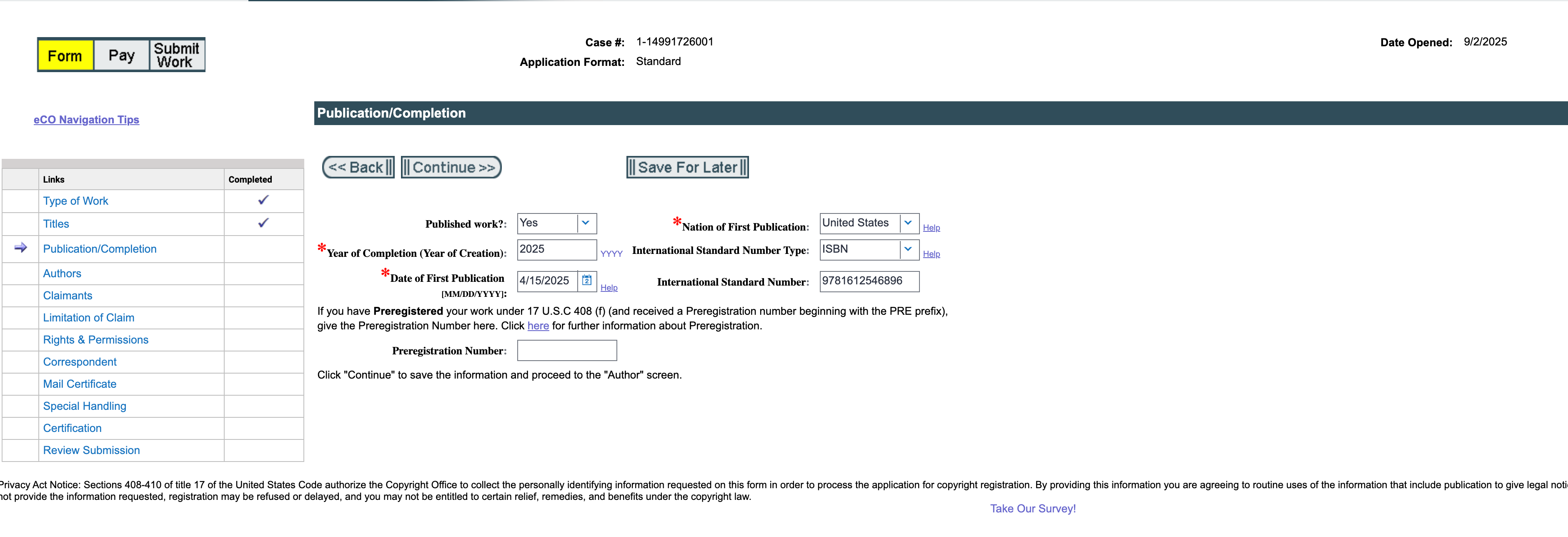
Publication Status
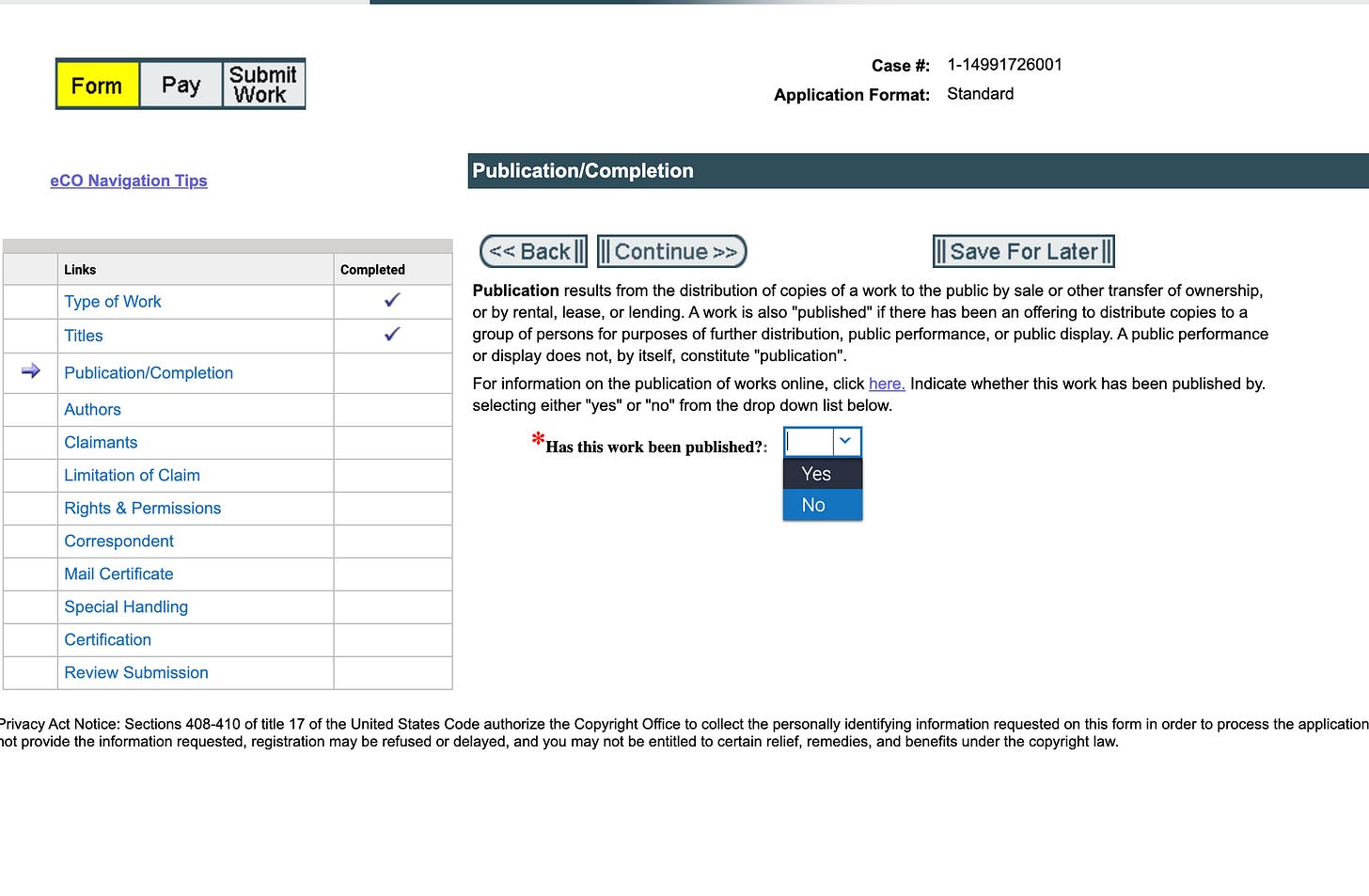
From the dropdown menu for Has this work been published?, select Yes.

9. Enter Publication Details
If you selected Yes:
Provide the Date of First Publication (month, day, year).
Enter the Nation of First Publication from the dropdown menu.
Click Continue.
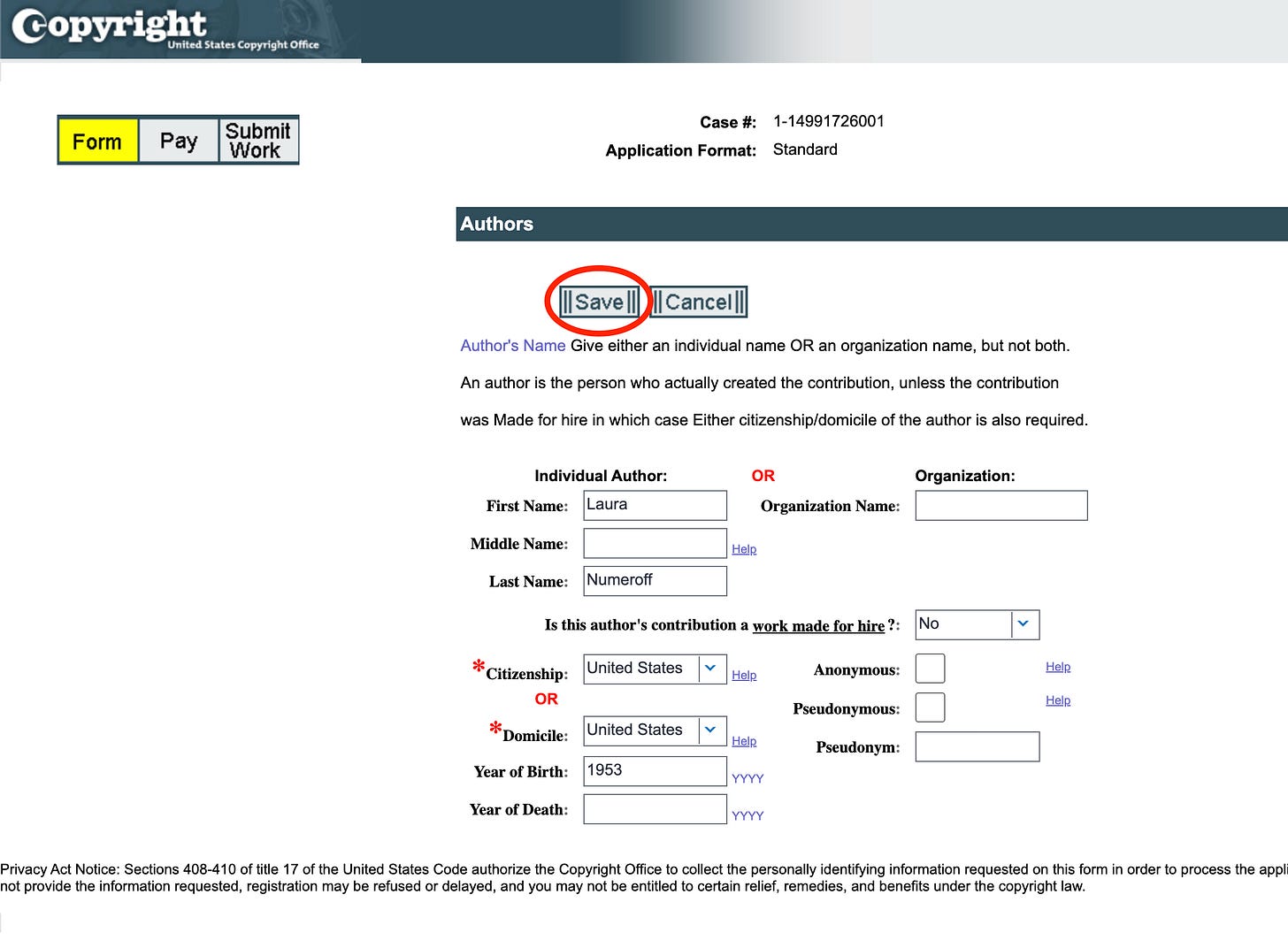
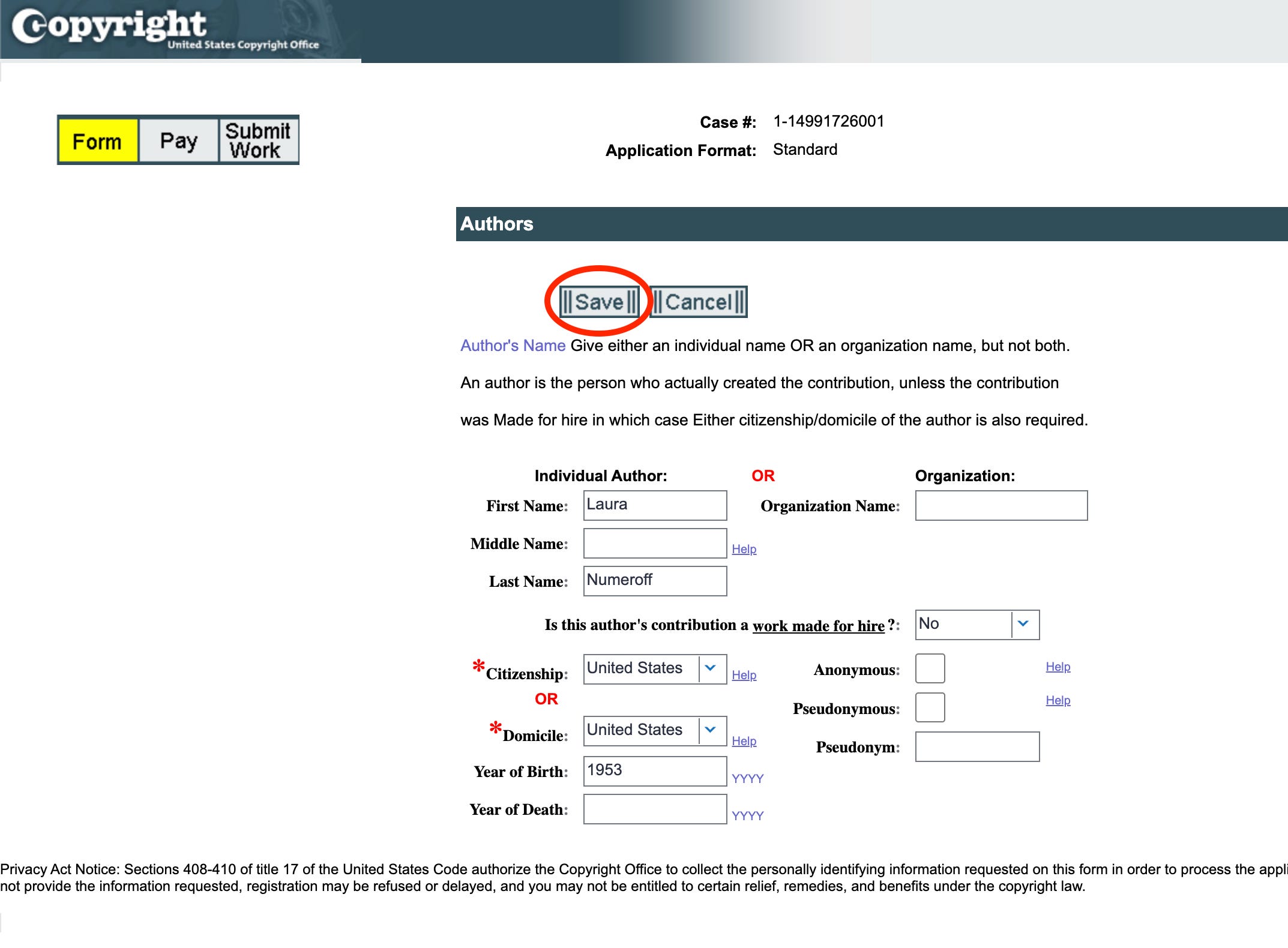
10. Author Information
Select Add New.
Complete the required fields for the author:
Name (first, middle, last, suffix if applicable)
Organization (if applicable)
Citizenship and domicile
Year of birth (optional)
Year of death (if applicable)
In the Author Created section, check the box for Text (for literary works).
Click Save.
The author’s name should now appear in the Author List.
Click Continue.
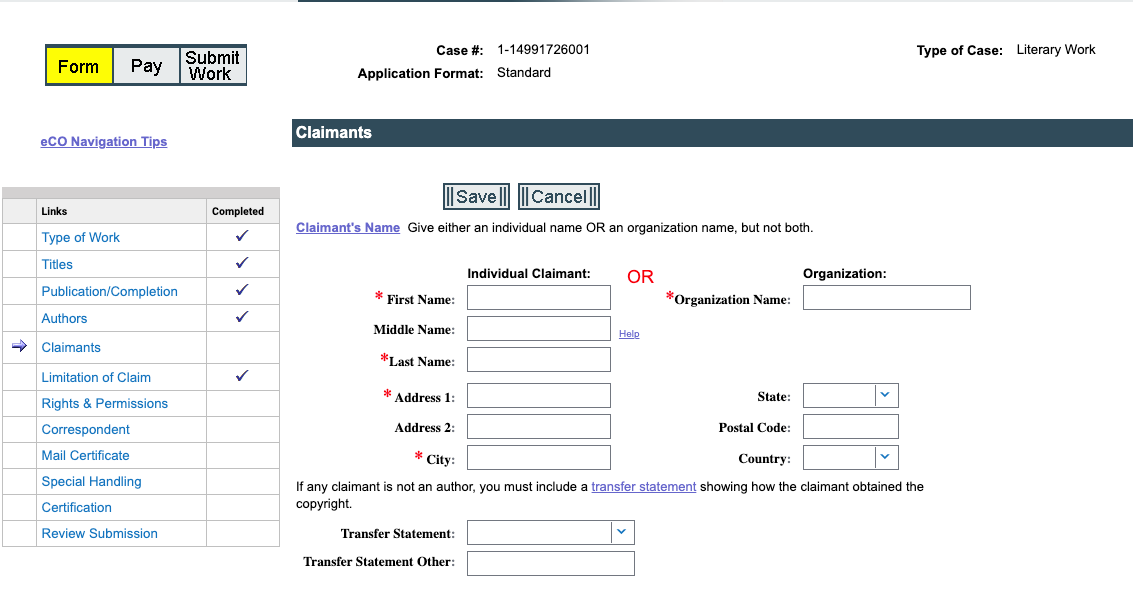
11. Claimant Information
On the Claimant page, select Add Me if you are the claimant.
If the claimant is different from the author, select New and enter the claimant’s information.
Click Save, then Continue.
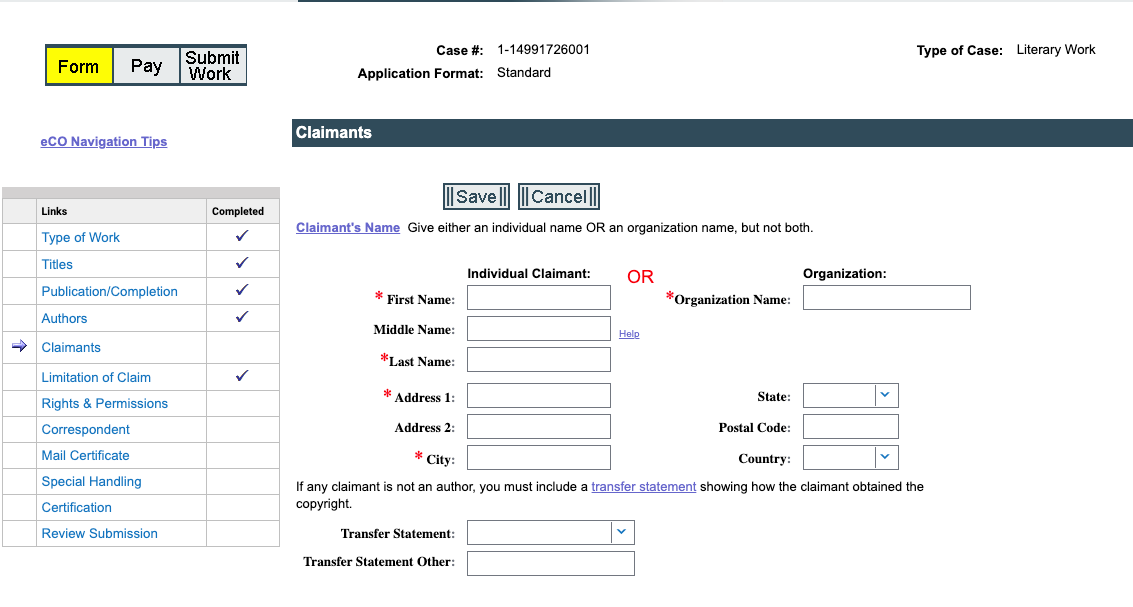
12. Limitation of Claim (if applicable)
If no limitations apply, select Continue without making changes.
If part of the work is not being claimed, specify the excluded material.
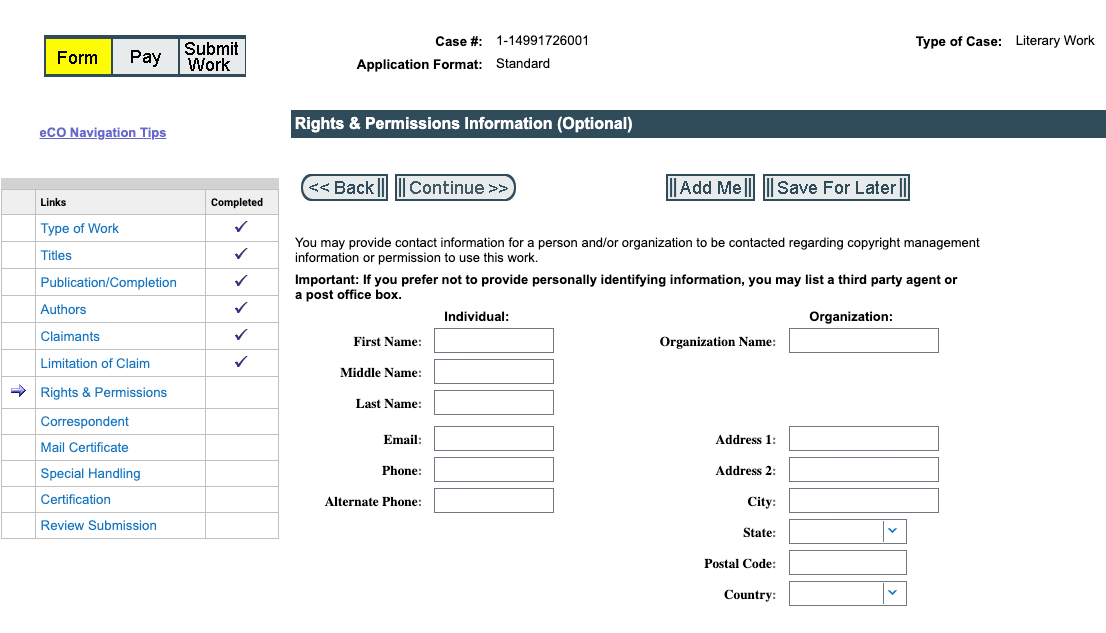
13. Rights and Permissions Contact
Select New.
Enter the name and contact information for the rights and permissions holder.
Click Save, then Continue.
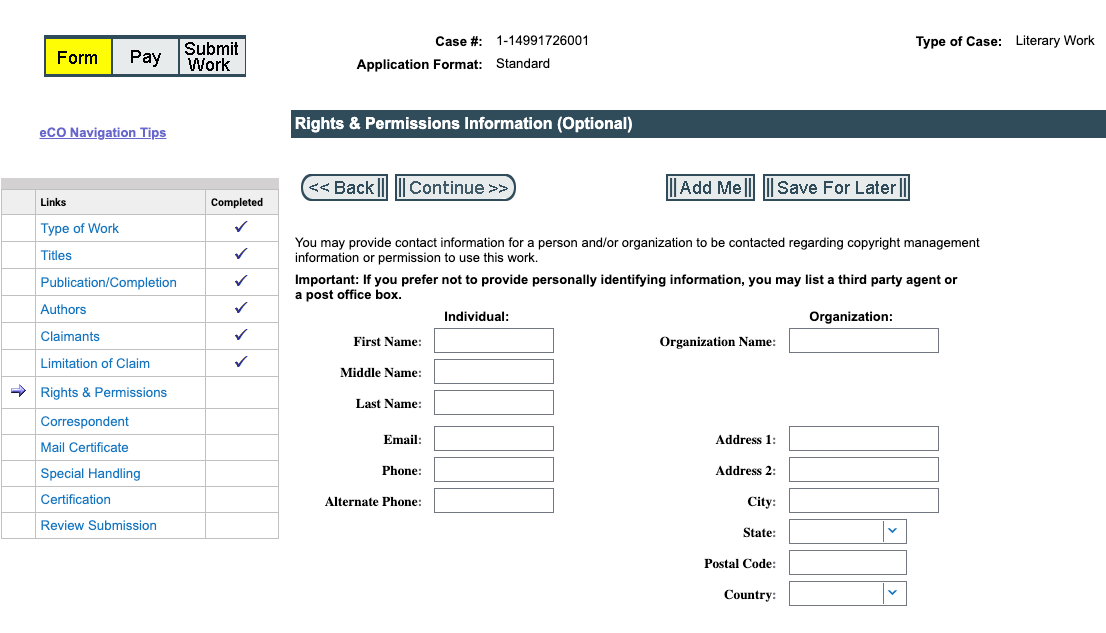
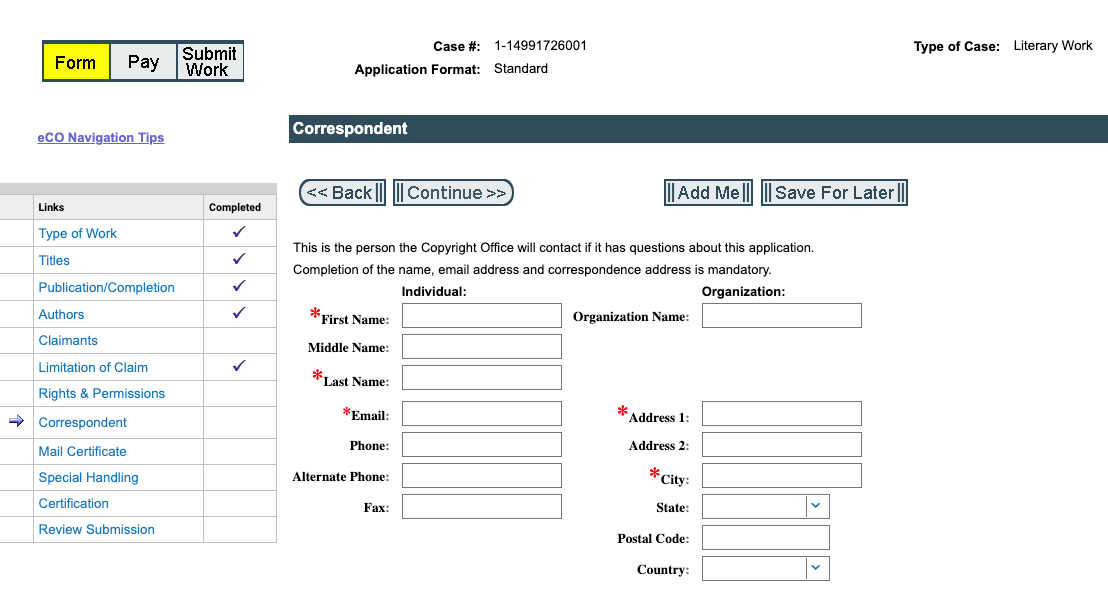
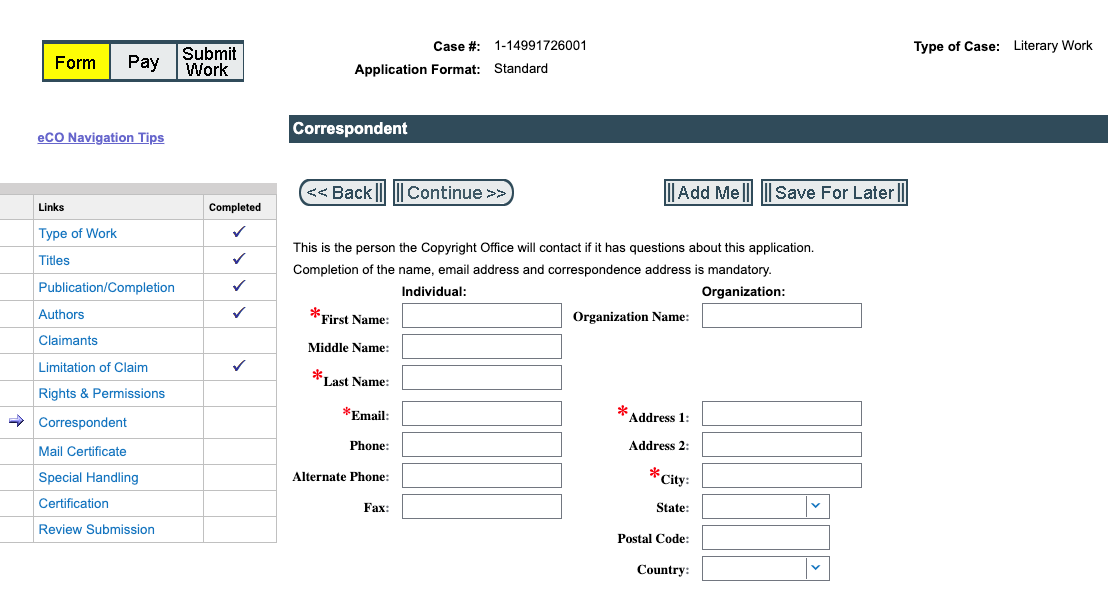
14. Correspondent Information
Select New.
Provide the name and contact information of the correspondent (the person the Copyright Office should contact about this application).
Click Save, then Continue.
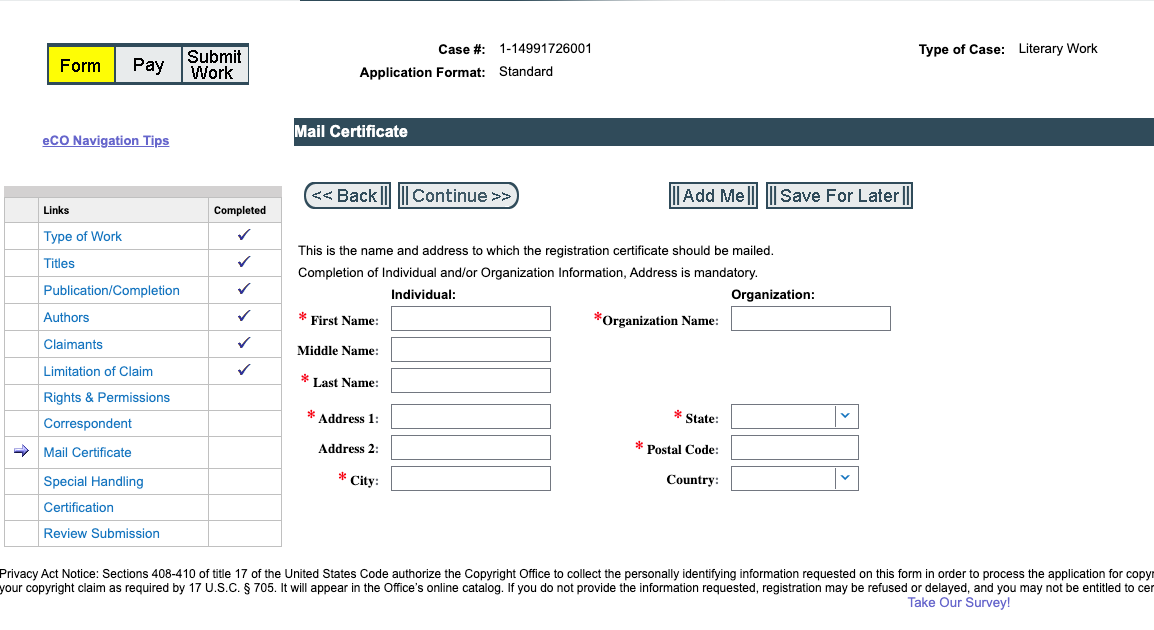
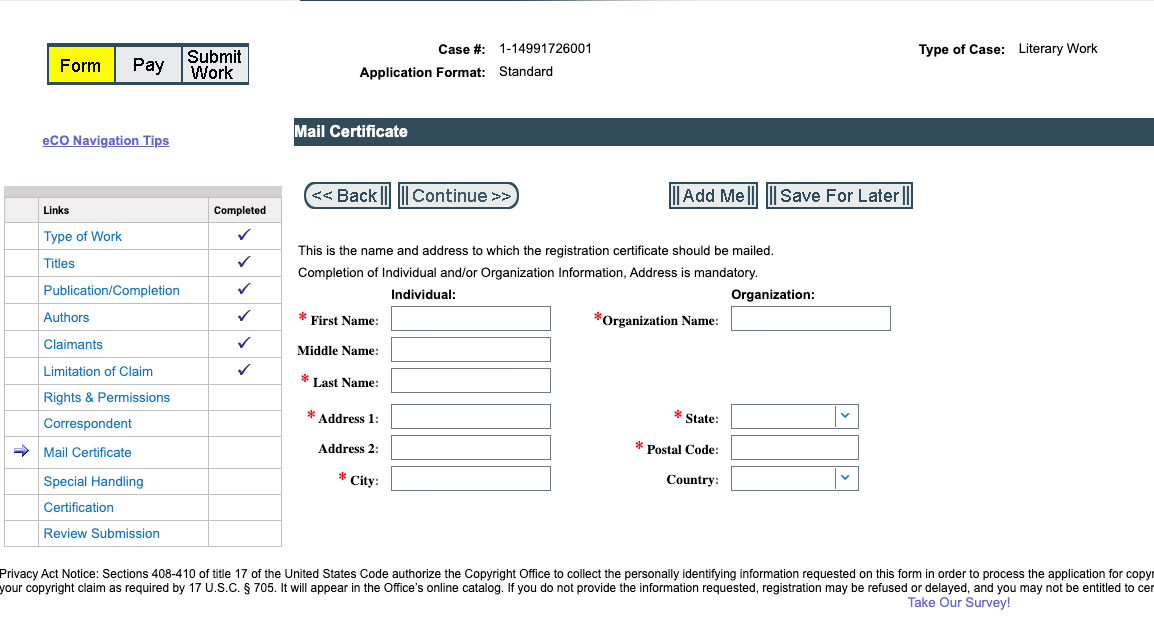
15. Mail Certificate Information
Select New.
Enter the name and address where the registration certificate should be mailed.
Click Save, then Continue.
16. Special Handling (if applicable)
Indicate whether special handling is required (e.g., for pending litigation).
If not applicable, select No, then Continue.
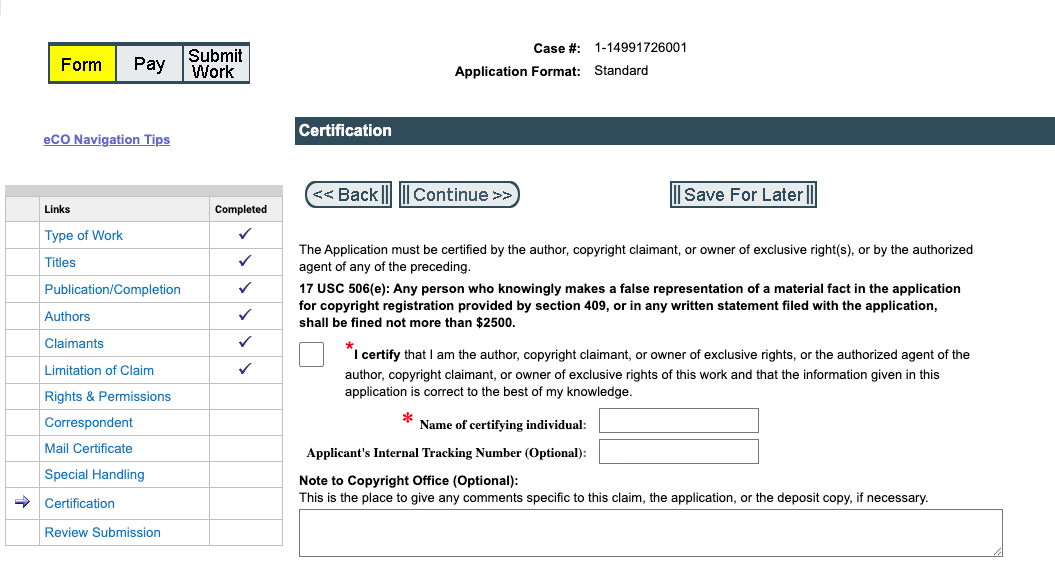
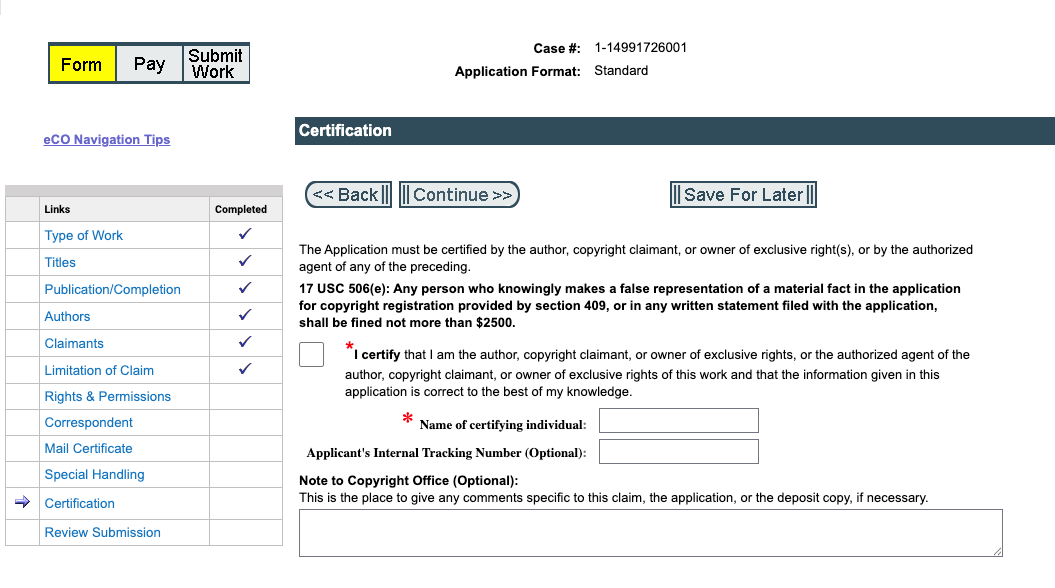
17. Certification
Enter the name of the certifying individual.
Check the box confirming that the information provided is correct.
Click Continue.
18. Review Submission
Review all details entered in your application.
If corrections are needed, return to the relevant section.
Once reviewed, click Add to Cart.
19. Payment
In the shopping cart, select Checkout.
Choose a payment method:
Credit Card
ACH (Electronic Check)
Deposit Account (if available)
Follow the prompts to complete payment.
20. Upload Deposit Copy
After payment, you will be prompted to upload your work.
Select Choose File to upload the deposit copy in the required file format (e.g., PDF for text-based works).
Confirm upload, then click Complete Submission.
21. Confirmation
A confirmation screen will display your case number.
You will also receive an email confirmation with your submission details.
Kozak , Ellen M. “5. Copyright Origins and Duration.” Chapter. In Every Writer’s Guide to Copyright and Publishing Law, 26–27. New York, New York: Henry Holt and Company, 2004.
